





Whole-photo display
Keep the whole photo.
The person at the edge. The landscape around you. Every photo fits inside the display. Consecutive portraits appear side by side; landscapes and square photos get the screen to themselves.
Coming soon for iPad
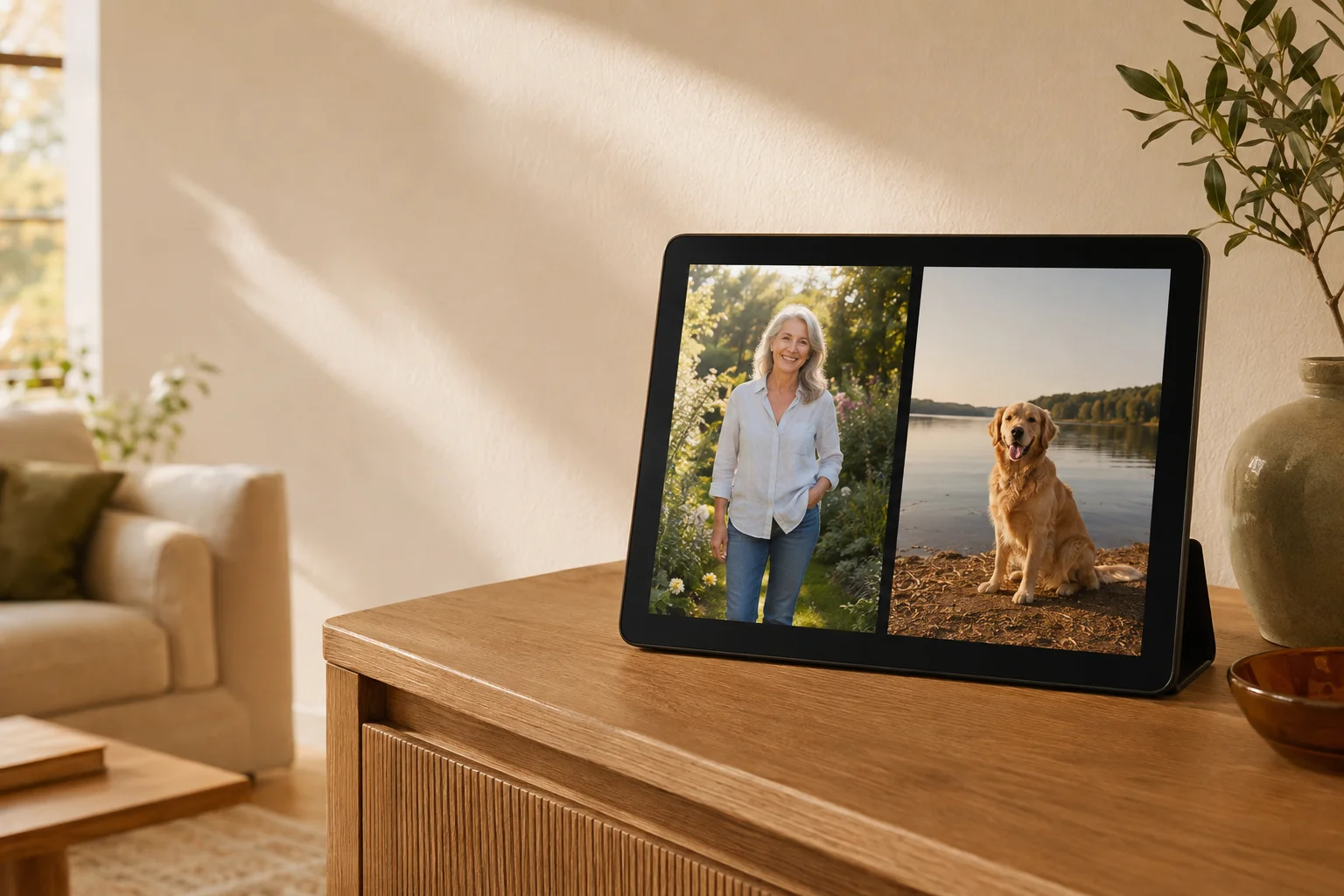
Turn your iPad into a photo frame. Rediscover the people, places, and little moments waiting in your Apple Photos library.
For iPad with iPadOS 26 or later.
Your photos, at home.
That trip. That grin. That ordinary afternoon. Choose an album or let shuffle bring something back into view. Give your photographs a place in your home, and a chance to make you smile again.
Made for your photographs
Whole-photo display
The person at the edge. The landscape around you. Every photo fits inside the display. Consecutive portraits appear side by side; landscapes and square photos get the screen to themselves.
Apple Photos
Choose an album, your Favourites, or your photo library. Your photographs are already there, ready to become part of the room.
Saved Photos
See a photo you’d forgotten about? Tap its bookmark to add it to your Saved Photos album in Apple Photos, ready to enjoy again.
Date & place
Optional captions show the capture date and location when they’re available. A little more of the story, whenever you want it.
Your pace
Choose how often the photographs change. Follow them through time or let shuffle bring back something unexpected.
A simple everyday ritual
Your source, order, and interval stay saved for next time. A few small choices, then space for your photographs.
Pick an album, Favourites, your library, or the photos you’ve bookmarked.
Set the interval and order. Add date and place captions if you’d like them.
Plug in your iPad, put it somewhere you’ll enjoy it, and start the frame.
A few things to know
You’ll need an iPad running iPadOS 26 or later. Check your iPad’s software version in Settings before getting started.
Yes. Choose your photo library, Favourites, or an album. Browsing albums and using Saved Photos require full Photos access. With limited access, the frame can only show the photos you’ve allowed.
It’s added to a Saved Photos album in Apple Photos. Choose Saved Photos as your frame’s source to return to the pictures you’ve rediscovered.
Photos already cached on your iPad can display offline. Photos stored only in iCloud need a connection to download, so a whole album may not be available without internet access.
Yes. The frame is designed for use while plugged in. Keeping the display on uses battery power, and brightness and downloads also affect consumption.
Only when that information is available in the photo. Captions are off by default. Apple Maps location names require a separate opt-in that sends the photo’s coordinates to Apple; the photograph itself is not sent.
There’s no separate app account to create. Your photographs come from Apple Photos, using the normal iPad permission settings.
The app is being prepared for the App Store. The download link and release details will appear here when it’s ready.